Settings
The Settings modal controls preferences for the interface, report output, and measurement units.
Open it from the toolbar (gear icon).
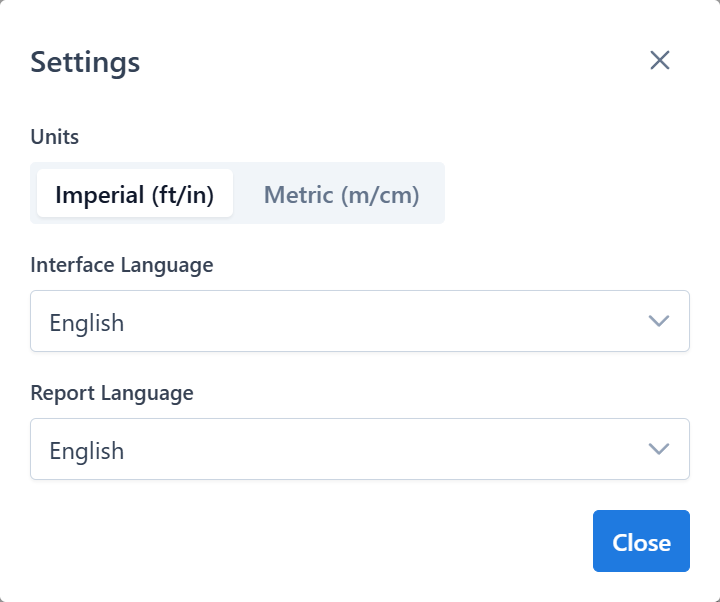
Units
Two measurement systems:
- Imperial — feet and inches for lengths, square feet for areas
- Metric — meters and centimeters for lengths, square meters for areas
Changing units updates all displayed measurements on the canvas and in the report. Underlying data doesn't change — only the presentation.
Recommendation
Choose the system your customers expect before doing detailed tracing. Switching later re-renders values but doesn't break anything.
Interface language
Sets the language for all UI labels, dialogs, and toolbar text. Supported languages include:
English, Русский, Deutsch, Français, Italiano, Español (ES, MX), Português (PT), Nederlands, Svenska, Norsk (Bokmål), Dansk, Suomi, Čeština, Slovenčina, Magyar, Română, Ελληνικά, Български, Polski, Latviešu, Lietuvių, Eesti, Українська, Srpski, Hrvatski, Slovenščina.
The language is saved in your account preferences and applied automatically on the next login.
Report language
Sets the language used in generated PDF reports. It can differ from the interface language — useful when you work in one language and deliver reports in another.
Supported report languages include: English, Русский, Eesti, Latviešu, Lietuvių, Українська, Polski, Deutsch, Français.
Applying settings
Click Save in the modal to apply. Changes take effect immediately:
- interface labels update without reload
- new reports use the new language
- existing reports are not retroactively re-translated
Related
- Measurements — how units affect displayed values
- Report — report output